Key takeaways
- An 8-hour workday with a laptop, router and monitor takes about 740 Wh from a station, using our cautious 60 W for the laptop.
- A station of about 1,000 Wh covers one full workday, with some left over.
- The laptop is the big user; if yours draws half our estimate, the same station lasts nearly two workdays.
- Your internet also depends on your provider's network having power, so keep a phone hotspot as plan B.
In this article
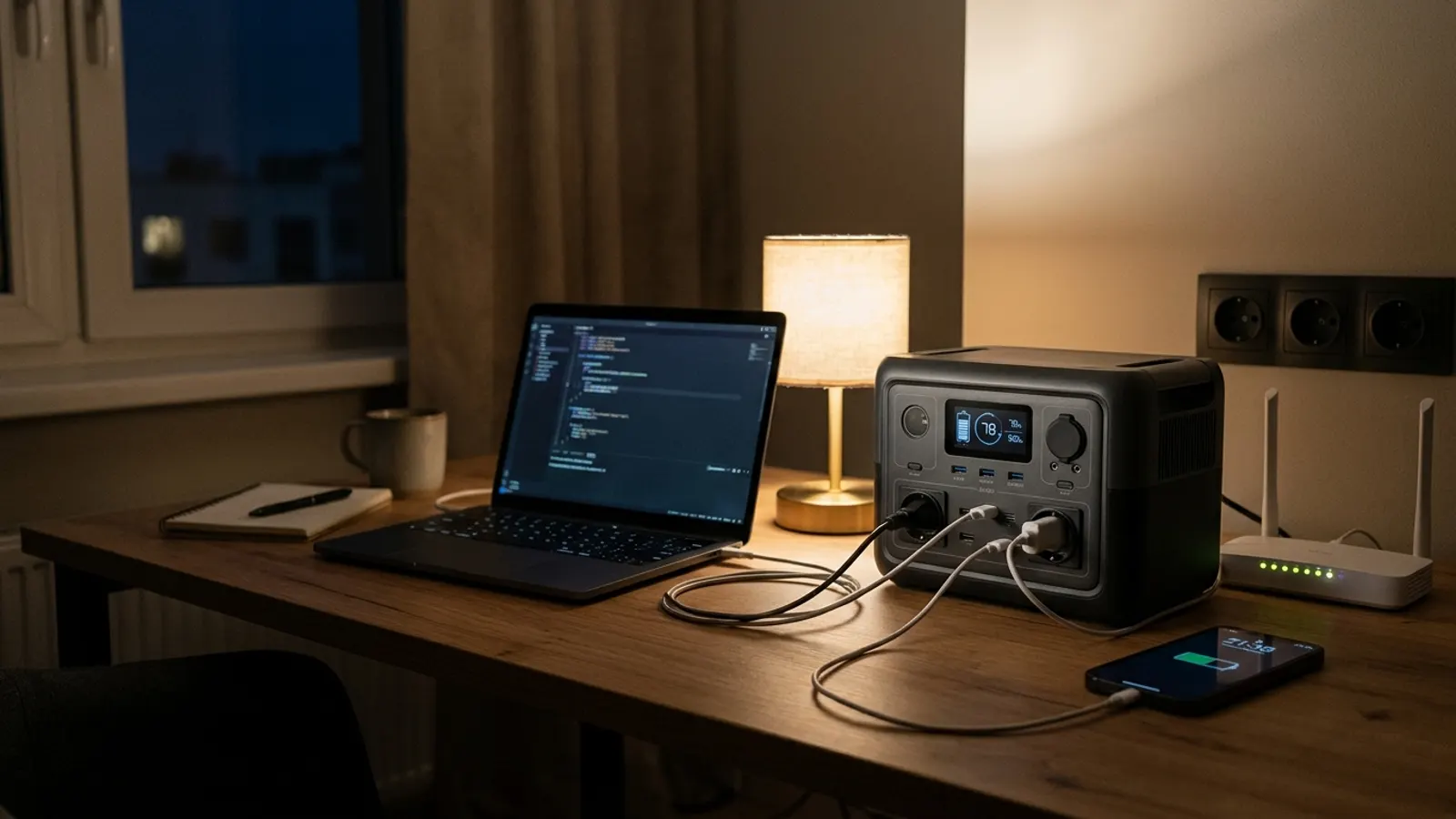
A full workday at home on a power station takes about 740 Wh for a laptop, a router and an external monitor, using cautious numbers. A station of about 1,000 Wh gets you through one day with room to spare. A lighter laptop, or skipping the monitor, stretches that toward two days.
What a home office really uses
Three devices matter, plus the station itself:
- Laptop: we count 60 W, a cautious site figure. Yours may use much less in light office work; the label on its charger shows the most it can draw.
- Router or modem: 10 W on average, our site figure.
- External monitor: Dell lists 11.7 W in typical use for its 24-inch P2425H, with a maximum of 65 W. We round to 12 W. A bigger or brighter screen uses more, so check your own.
- The station: about 10 W while its outlets are on.
A desktop computer is a different story. It can use far more than a laptop, so check its power supply label before planning a workday on battery.
A workday, worked out
Wh = watts × hours. For an 8-hour workday with everything on the station’s outlets:
| Device | Watts | Hours | Wh |
|---|---|---|---|
| Laptop | 60 W | 8 h | 480 |
| External monitor | 12 W | 8 h | 96 |
| Router | 10 W | 8 h | 80 |
| Station’s own use | 10 W | 8 h | 80 |
| Workday total | 736 |
So one workday takes about 740 Wh. If you leave the router on through the evening and night as well, add (10 + 10) × 16 = 320 Wh, for about 1,060 Wh over 24 hours.
How many workdays per station
Usable energy is about 85 % of the battery, because some is lost making household current. Workdays = battery Wh × 0.85 ÷ 736.
| Station (announced by the brand) | Usable Wh | Workdays at 736 Wh | If the laptop averages 30 W (496 Wh) |
|---|---|---|---|
| EcoFlow DELTA 3 Plus (1,024 Wh) | ≈ 870 | ≈ 1.2 | ≈ 1.8 |
| Anker SOLIX C1000 (1,056 Wh) | ≈ 898 | ≈ 1.2 | ≈ 1.8 |
| BLUETTI AC180 (1,152 Wh) | ≈ 979 | ≈ 1.3 | ≈ 2 |
The math for the Anker: 1,056 × 0.85 ≈ 898 Wh, and 898 ÷ 736 ≈ 1.2 workdays. The last column is an example, not a measurement: if your laptop averages 30 W, the day drops to 240 + 96 + 80 + 80 = 496 Wh.
Put your own devices in the runtime calculator, or see the laptop on the BLUETTI AC180.
Keeping the internet up
Innovation, Science and Economic Development Canada (ISED) recommends connecting your home router to an uninterruptible power supply, so it keeps running in an outage. A power station can do that job.
Three stations here announce a UPS-style switchover, meaning they keep power flowing when the grid drops: 10 ms for the EcoFlow DELTA 3 Plus, 20 ms for the Anker SOLIX C1000 and the BLUETTI AC180. Leave the station plugged into the wall to charge, with the router plugged into the station. Test it once with your own router, since not every device reacts the same way.
Keep in mind that your router is only one link. If your provider’s network loses power, your connection drops anyway. Then your phone’s hotspot is the backup, and it drains the phone fast; keep the phone on the station’s USB port while you work.
ISED also suggests texting instead of calling when networks are busy, and using a wired phone for 911 if you have one.
Getting more work out of the battery
- Charge the laptop to full before the outage, and run it on its own battery first. The station then only has to top it up.
- Use USB-C if you can. If your laptop charges over USB-C and the station’s port is strong enough, you can leave the outlets off and save the station’s 10 W.
- Dim the monitor or skip it for a day. That saves about 100 Wh.
- Turn off the router at night if nobody needs it.
- Unplug what you don’t need. The Government of Canada advises unplugging tools, appliances and electronics during an outage, so a surge doesn’t damage them when power returns.
For a longer outage, compare bigger models on the comparison page.
A plan for a two-day outage
Say the power goes out on a Monday morning and your utility expects it back Tuesday night. With a station of about 1,000 Wh, here is a realistic plan.
Monday: work a normal day on the station. On the Anker SOLIX C1000, that uses 736 of its 898 usable Wh, leaving about 162 Wh. Turn everything off in the evening.
Tuesday: the 162 Wh left is enough to run the router for about 8 hours, at (10 + 10) × 8 = 160 Wh. Work from your laptop’s own battery, which you charged on Monday, and save calls for the morning.
Tell your manager early. Most teams would rather know on Monday that you will be on a reduced setup on Tuesday than find out at 3 p.m. If a café, library or co-working space nearby has power, that can be the better plan for day two.
A bigger station, like a 2,000 Wh model, would carry both days in full. Weigh that against how often outages last more than a day where you live.
In short
- A laptop, router and monitor take about 740 Wh for an 8-hour workday, with our cautious laptop figure.
- A station of about 1,000 Wh covers one workday with some to spare.
- A lighter laptop or no monitor stretches that toward two days.
- Your internet also needs your provider’s network, so keep a hotspot as a backup.
Sources
Questions
How much power does an external monitor use?
Less than many people think. Dell lists 11.7 W in typical use for its 24-inch P2425H, with a 65 W maximum. Check your own monitor's label or spec sheet.
Can a power station act as a UPS for my desk?
Several stations announce a switchover feature: the EcoFlow DELTA 3 Plus announces 10 ms, and the Anker SOLIX C1000 and BLUETTI AC180 announce 20 ms. Test it with your own equipment before you rely on it.
Will my internet keep working if my router has power?
Only if your provider's network still has power. If it goes down, a phone hotspot is the backup, but it drains the phone faster.
Is it better to charge my laptop by USB-C?
If your laptop charges over USB-C and the station has a strong enough USB-C port, yes: you can leave the AC outlets off and save the 10 W the station uses for them.
Stations in this article
- 1056 Wh · 1800 W Anker SOLIX C1000 Every device with the Anker SOLIX C10001,056 Wh Check price
- 1024 Wh · 1800 W EcoFlow DELTA 3 Plus Every device with the EcoFlow DELTA 3 Plus1,024 Wh Check price
- 1152 Wh · 1800 W BLUETTI AC180 Every device with the BLUETTI AC1801,152 Wh Check price
How much battery do you need?
Tick your devices and how long you need to last. The calculator gives you the answer in 30 seconds.
Open the calculator